Hello, welcome to the Keiscanner app.
This short guide will explain how to use the APP.
You can review the guide at any time by pressing the Guide button
Next
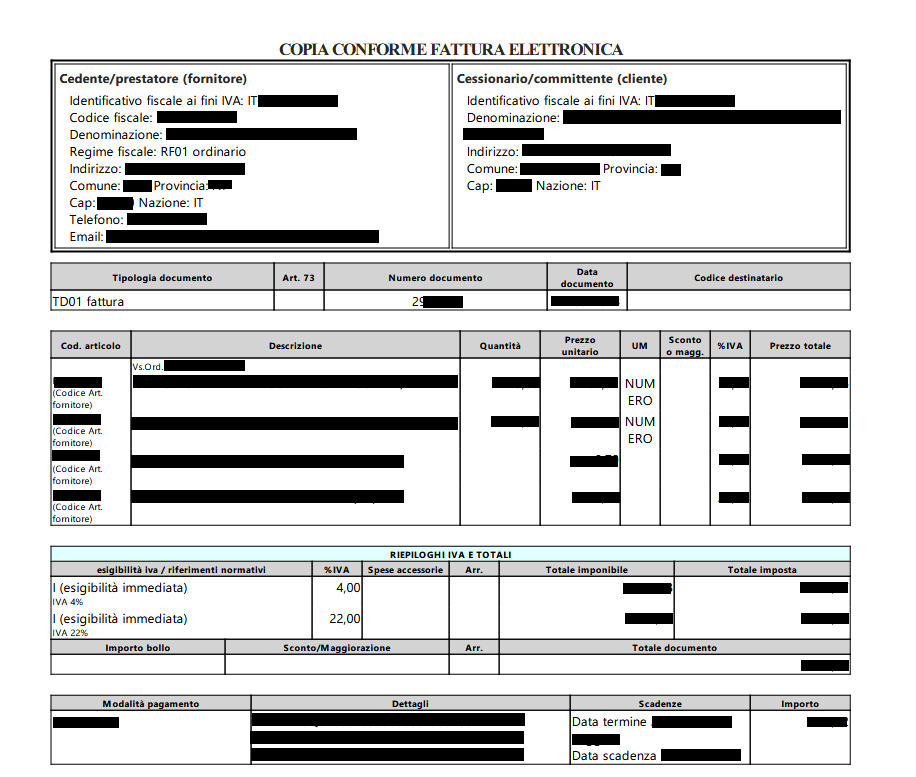
The application allows you to scan incoming invoices, and using OCR software automatically calculate purchases of Kuraray products to be eligible for prizes.
You can scan invoices through the camera or upload invoice PDF files
Previous
Next
First fill in your data in the profile section. Without NIF purchases cannot be counted.
Previous
Next
Once the company details have been entered, a Kuraray Noritake operator will approve the account.
You will receive confirmation by email.
Once the user’s approval email has been received, you can proceed to scan the invoices by clicking on the SCAN INVOICE button
NOTE: For multi-page invoices, it is necessary to scan all pages.
.
Previous
Next
OCR software is used, so it is essential that the photo be straight and not moving as if scanned with a scanner.
Previous
Next
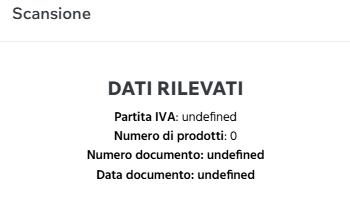
During scanning, the software searches for products via text strings and displays a summary when scanning is complete.
Previous
Next
If the tax data has not been collected or the product count is incorrect you can try to take the photo again.
If missing data such as NIF, date and document number definitely the photo was moved or not perfectly vertical. In this case you have to try again to take the photo of the document.
In case the count is not correct but the photo is considered well done, an alert can be sent using the special button SEND ALERT.
Notifications are sent automatically without entering data; if the photo is correct, we will enter the details of that invoice.
The recognition software must be programmed, so it is likely that not all products will be recognized on the first scanned invoices; in this case a notification has to be sent.
Previous
Next
On the Summary of purchases page, you can see the purchases made during the current year and how many purchases are missing to reach your goal.
Previous
Next
The News page shows news about events organized by Kuraray Noritake.
Previous
Close